 My Gym Tracker
Open the app and log your first set in under a minute.
No account, no sign-up, free. Answer a few quick questions, get a plan and start Day 1. Your sets are saved on the phone from the first one.
Everything core is free. Ads pay for it, never during a workout.
Everything core is free
Nothing on this list is behind a paywall, a trial or a "pro" tier. The food-tracker features other apps charge for are free here.
Lifting log
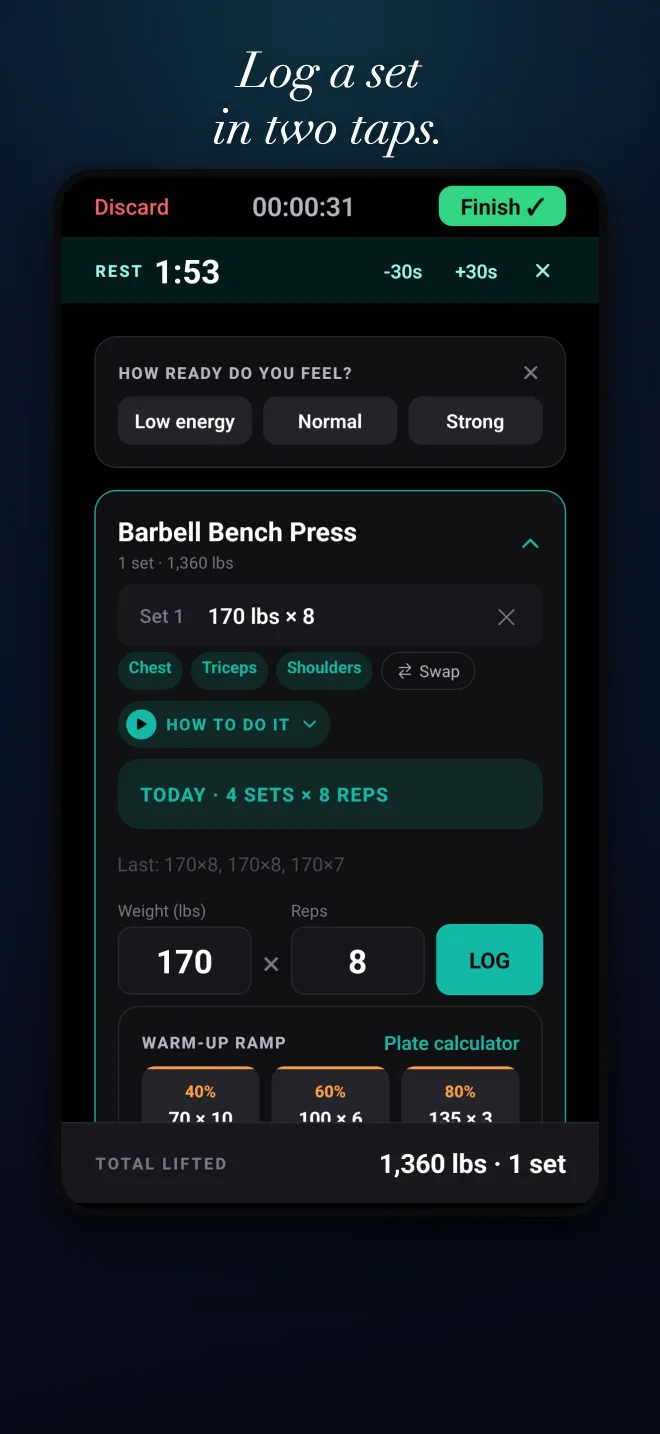
Log a set in a tap: weight, reps, a note. Rest timer, plate calculator, and a PR card when you beat your best by weight, reps or estimated one-rep max.
Barcode food scanner
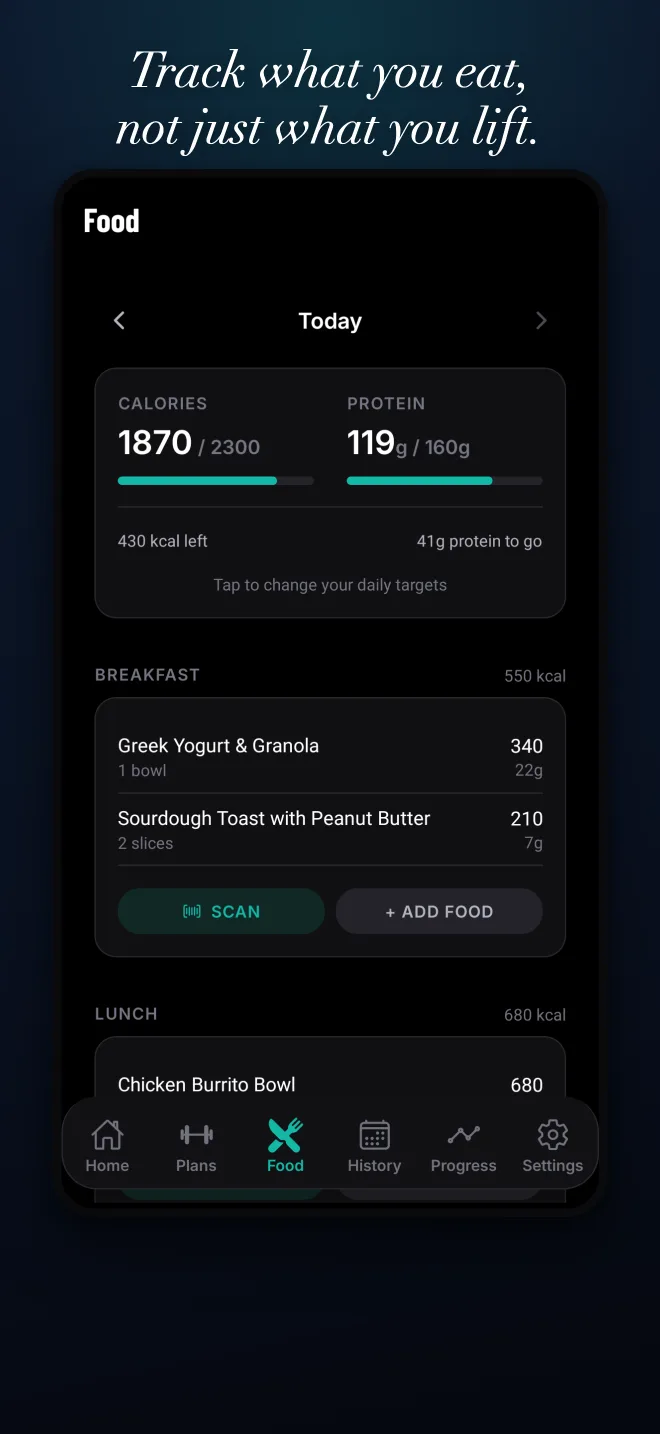
Point the camera at a package and the nutrition facts fill themselves in. Search foods by name against the USDA database.
Calories and protein
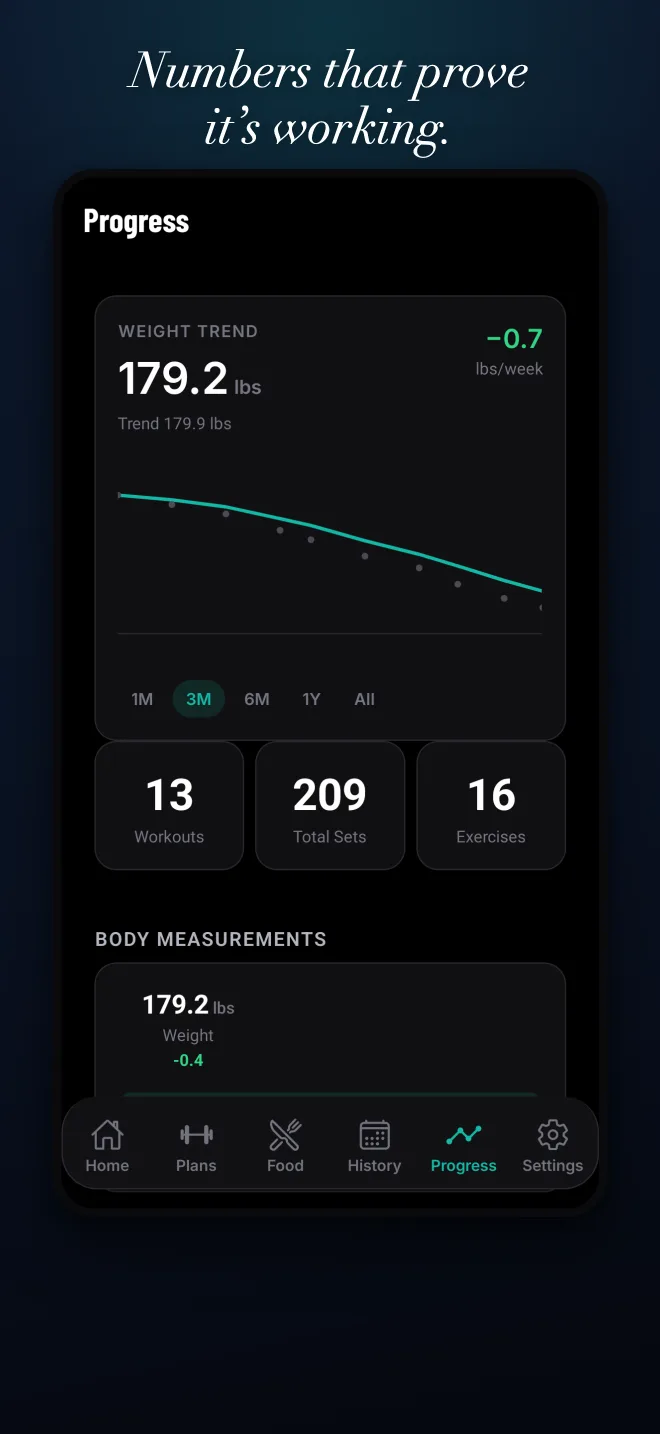
Log meals against daily calorie and protein targets you set. A body-weight trend that separates the real line from day-to-day water weight.
GPS runs
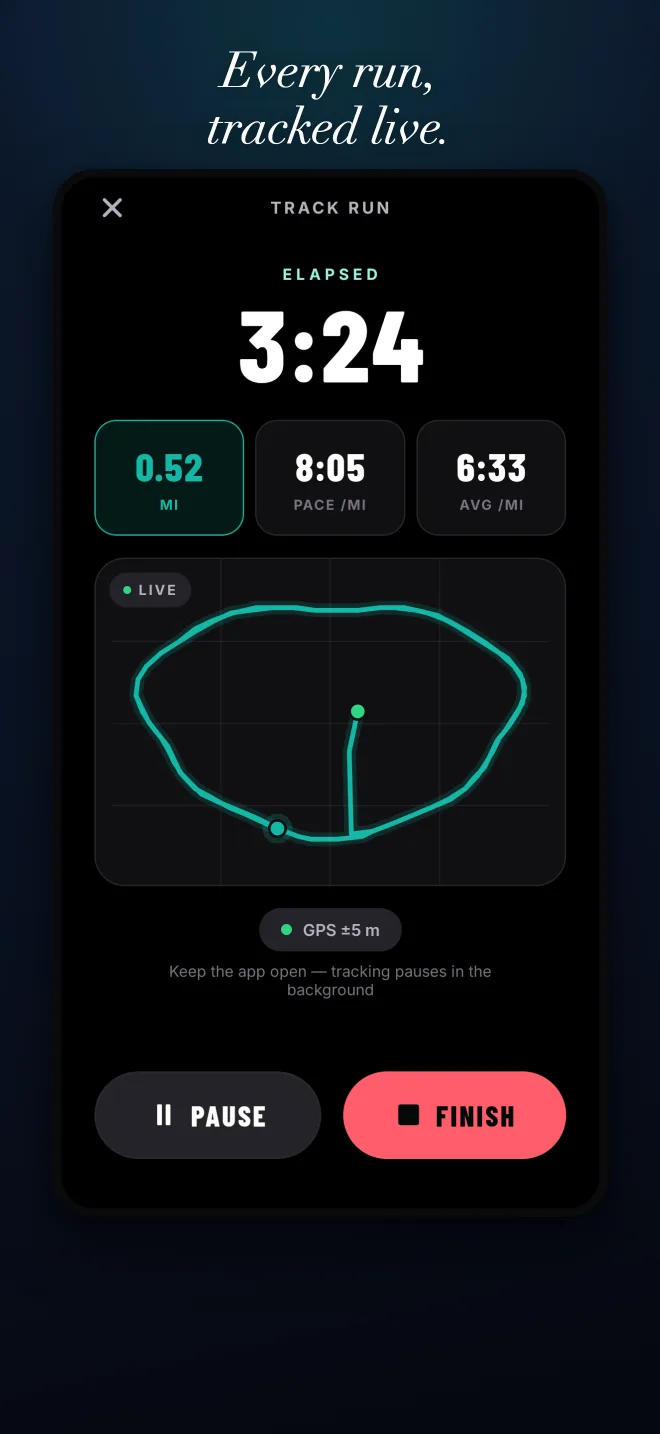
Live distance, pace and splits while the run screen is open, and your route on a map. Runs land in the same history as your lifts.
Muscle heatmap
See what you actually hit this week or month, by muscle group, from the sets you logged.
Templates and programs
Build the routines you follow (Push/Pull/Legs, Upper/Lower) or start from one of ten built-in programs. 143 exercises with anatomy and how-to steps; most have a demo video.
Sync and export
Save your progress to Apple, Google or an email address and your training follows you between phone and tablet. Export to CSV or JSON any time. Log without signal; it syncs when you are back online.
Daily tips and habit streaks
A short, practical tip on the home screen each day. Set a few habits, check them off, and keep a streak with a little grace built in.
Lift, run and eat in one log
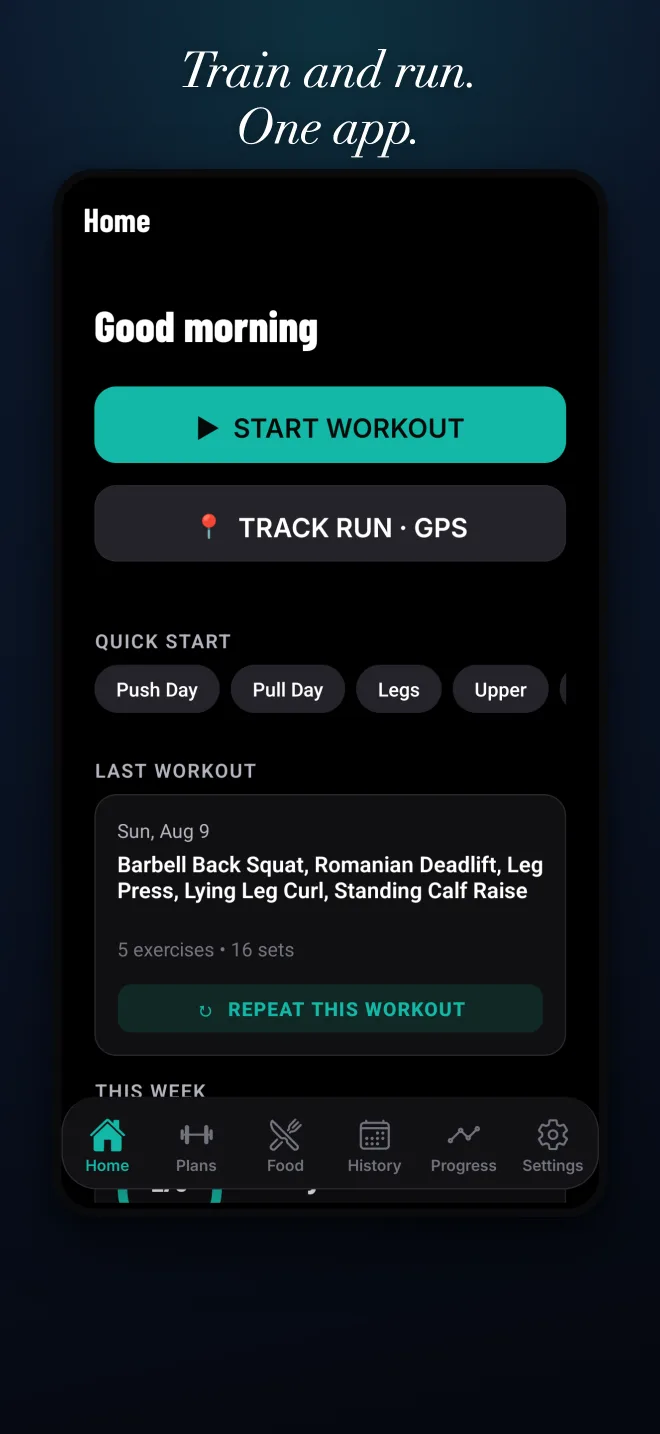
Most people need three apps for this, and usually pay for one of them. Here the gym log, the run tracker and the food log share one history, one account and one price: nothing.
Women's mode
Pick women's mode in the intro and the programs change. Cycle logging stays on your phone unless you turn on cloud sync. No ads anywhere in women's mode.
- Programs built for it: Glute & Lower Body, Booty & Bands, Barre Sculpt, Pilates Core and Yoga Flow, alongside the standard splits.
- Cycle-aware guidance: log your cycle and the app estimates your phase and adjusts the training guidance.
- On this device by default: cycle data is kept on the phone unless you switch on cycle cloud sync. It is never mixed into workout syncs or ad data.
- No ads, ever, in women's mode.
Training guidance only. Not medical, fertility or contraceptive advice.
Everything else stays
The lifting log, food scanner, GPS runs, heatmap and progress screens are the same in both modes. Switch modes any time in Settings; nothing you logged is lost.
Numbers that prove it is working
- Muscle heatmap of what you hit, by week or month.
- History, streak and a weekly goal you set.
- Personal records detected automatically, with a card to share.
- Body-weight trend and body measurements over time.
- Training reminders: pick your days, and a different time for each.
Light, dark or system theme. Kilograms or pounds.
What's next
Two things are being built now and are not in the app yet. We say "coming" when we mean coming.
Follow-along classes
Short guided sessions you can follow in the app. Free, like everything else.
AI weekly insight
A short weekly check-in written from your own last four weeks: what moved, what stalled, one thing to try. Off by default; you turn it on in Settings, and only de-identified numbers and exercise names are used.
Habit streaks
Habit check-ins with streaks and grace days, synced to your account like your workouts.
Why it is free
We are building a healthy community, not just an app.
Logging your training and your food should not cost money or an email address. Ads cover the servers; your data is yours to export or delete at any time. If something is wrong or missing, write to support@mygymtrackerapp.com and a person will answer.
Questions
Is it really free?
Yes. Every feature on this page is free: the set logger, programs, plate calculator, PR detection, muscle heatmap, GPS runs, the food log with barcode scanner, body-weight trend, habits and sync. There is no trial, no subscription and no "pro" tier. Ads pay for it.
Do I need an account?
No. The app starts as a guest and goes straight to the intro, a plan and your first workout. When you want your data backed up and on your other devices, tap "Save your progress" and link Apple, Google or an email address. Everything you logged as a guest stays with you. We ask you to save after your first and third workout, then leave you alone.
What do you do with my data?
Workouts, runs and habit check-ins sync to your account so they survive a lost phone. Food entries and body measurements stay on your device and are never uploaded. The barcode scanner keeps no images; only the barcode number is sent to look up the product. Location is read only while the run screen is open, never in the background and never for ads. We do not sell data, and there are no analytics or crash-reporting SDKs in the app. The full details are in the privacy policy; you can export or delete everything from Settings.
Why are there ads?
Because the alternative is a paywall. A banner shows on some screens, and a full-screen ad can appear after some finished workouts, at most one every three workouts. Never during a workout, never after your first finished workout, and never anywhere in women's mode.
Does it work without signal?
Yes. Log in the basement gym; everything syncs when you are back online. Food lookups and ads need a connection; logging does not.
Log your first set today
No account, no sign-up, free. iOS and Android.